
Steps to Implement Purchase Order Management
Updated
Short answer
Define where purchase orders are created, who approves them, and which system owns the latest version. Track receipts against order lines and compare invoices with orders and receipts before paying; route changes and mismatches to the right owner.
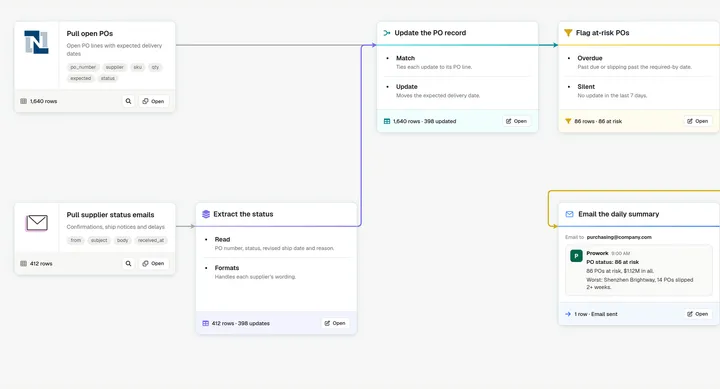
A Prowork Flow can pull open PO lines from an ERP, match supplier status emails by PO number, and flag orders that are overdue or slipping past their required-by date.
Implement controls in order
- Set one source of truth for PO numbers, supplier terms and order revisions.
- Define approval thresholds, owners, and the process for changes after approval.
- Record receipts at line level, including partial deliveries and returns.
- Check billed quantity and price against the PO and receipts, and report missing or late items.
Worked example: track an open balance
A PO calls for 50 units. The warehouse confirms 35 arrivals, leaving 15 open. If the supplier bills for 50, keep the 15 units visible on the open order and send the invoice discrepancy to AP.